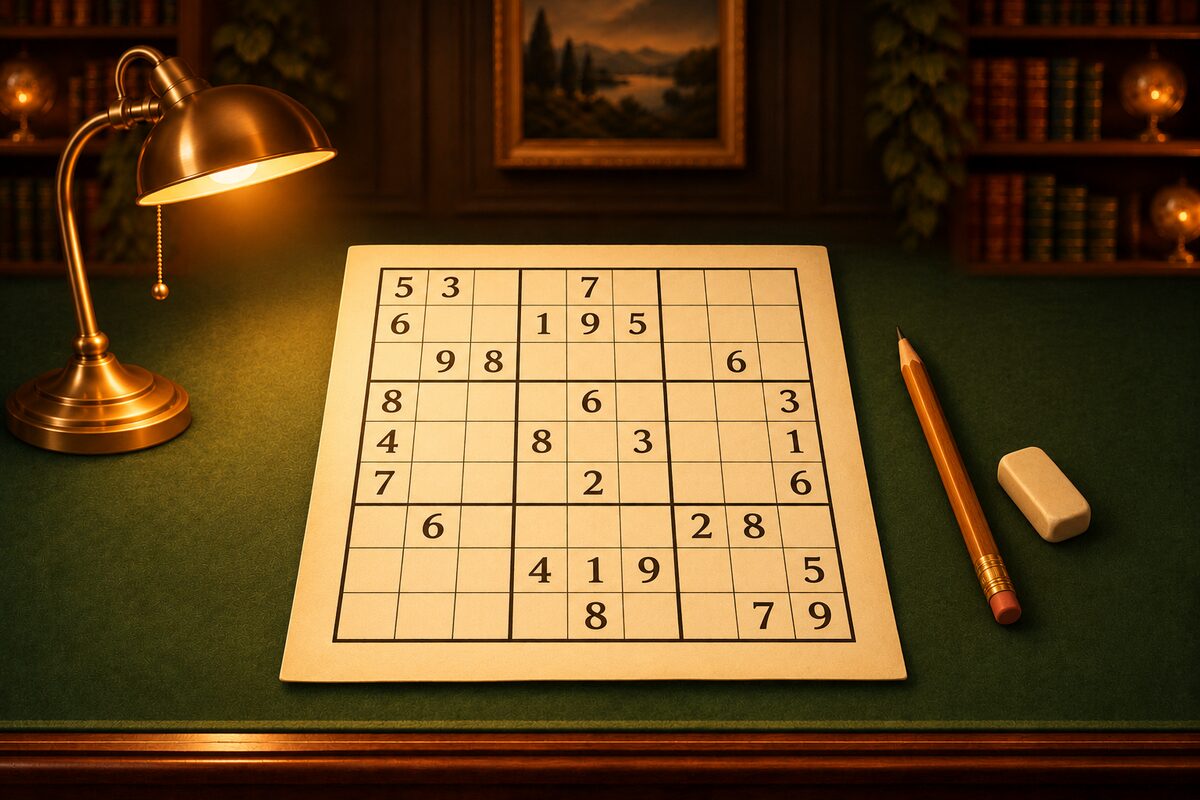
NumberPlace is a sudoku app for iPhone, iPad, and Android. This article walks you through how to use it, following the screens. For the rules, see How to Play Sudoku.
Choosing a Mode and Difficulty
At the top of Settings, you choose a mode and a difficulty.
- Mode: the classic 9×9, and the 6×6 Mini for a quick break.
- Difficulty: from ★1 (easy) to ★5 (master). On the buttons, 9×9 shows a rough idea of the techniques you need, such as “Basics” and “Candidates” (How Is Difficulty Decided?).
The first time you open the app, it’s 9×9 at ★2. If you switch in the middle of a game, you can choose between quitting the current game and switching right away, or switching starting from the next game.
Entering Digits
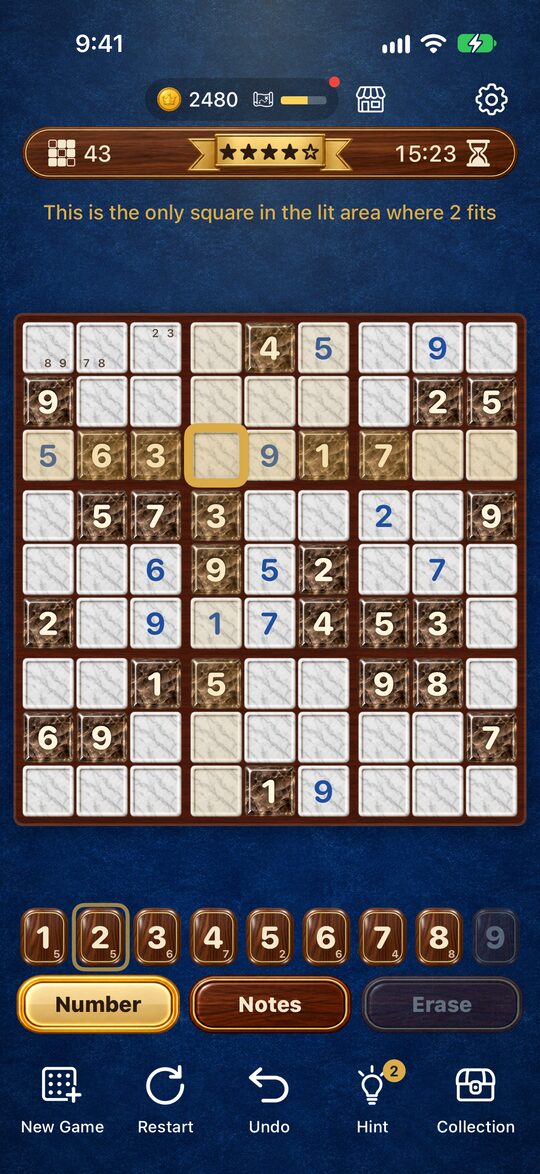
- Tap a square to select it. The selected square gets a gold frame, and the same row, column, and box are lightly lit.
- Enter a digit with the keys at the bottom. Tap the same digit again to erase it.
- Tap the selected square again, or tap outside the board, to deselect.
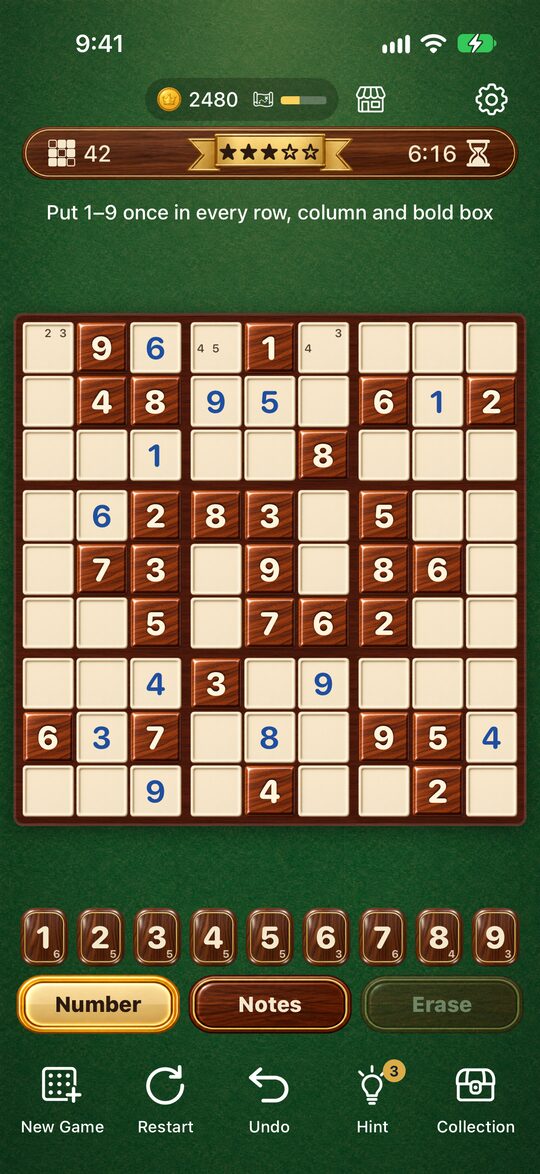
The small number on a key shows how many more squares that digit can go in. A key that has reached 0 can’t be pressed. You can also select a square that was given at the start, and the squares with the same digit light up (you can’t change those digits).
Notes, Erase, and Undo
- Notes: When you switch this on, the digits you tap are written small in the square. When you place a digit, it is automatically erased from the notes in the same row, column, and box (How to Use Notes).
- Erase: Clears the digit or notes in the selected square.
- Undo: Goes back one move. Notes that were erased automatically come back, too.
- Restart: Starts the same puzzle over from the beginning.
- New Game: Starts a different puzzle.
At the top of the screen, you see the number of squares left, the stars, and the time taken. There is no time limit.
Checking Your Answer
When you fill in every square, the app checks your answer. It doesn’t tell you about mistakes while you’re entering digits, and the game doesn’t end because of a number of mistakes. If something is wrong, it says “The board is full, but something is wrong. Hint can find it.”
Hint
When you’re stuck, press Hint.
- If any digit you entered is wrong, it marks that square with a gold ring and says “The number in the gold ring is wrong”.
- If nothing is wrong, it marks the next square you can settle with a gold ring, lights up the unit that is the reason, and also circles the key for the digit to enter with a gold ring. It also gives a one-line reason, such as “Only 7 fits in this square” (How to Solve Sudoku).
You start with 3 hints. When you use them all up, you can watch an ad to get 3 more. Every puzzle is made so that it can be solved with techniques alone, so Hint can always point to the next square.
Stop Anytime and Pick Up Where You Left Off
Even if you close the app in the middle of a puzzle, the puzzle, the digits you entered, your notes, and the time taken are saved. The next time you open it, you can continue the same puzzle.
Coins and Dress-Up
When you clear a puzzle, you earn coins. The harder the stars, the more you get.
| Difficulty | 9×9 | 6×6 |
|---|---|---|
| ★1 | 20 | 10 |
| ★2 | 30 | 15 |
| ★3 | 40 | 20 |
| ★4 | 60 | 30 |
| ★5 | 80 | 40 |
In the shop, you can spend coins on tiles (the squares with the puzzle’s digits), boards (the empty squares), frames, backgrounds, and clear effects. There are items in many art styles, such as glass, clay, and watercolor.
Every time you play, exploration of the place you chose moves forward, too. When you’ve cleared a game or played one partway and ended it five times, exploration ends and you always find one item. There are also secret items that can only be found by exploring.
Other Settings
In Settings, you can turn sound on or off, choose a language (13 languages, including Japanese and English), and open the how-to-play screen. The app can be downloaded without a fee, and ads are shown. You don’t need to sign in.
If you run into trouble, see also Sudoku FAQ.