
Chess Board is a chess board for two people who sit around one device and play. It works on iPhone, iPad, and Android. How the pieces move is covered in How to Play Chess, so this article sticks to the screen and the settings.
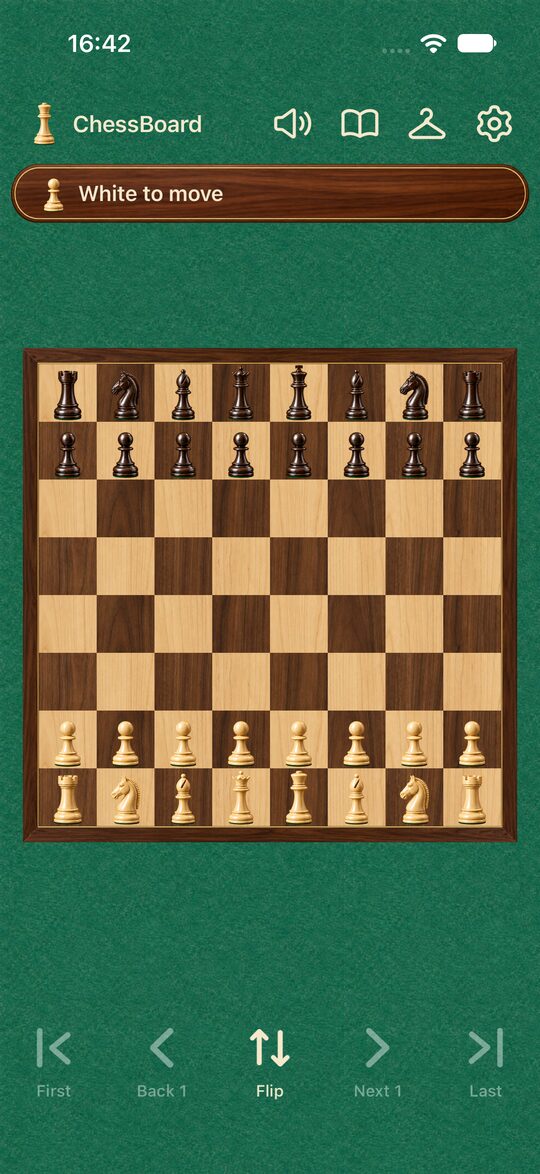
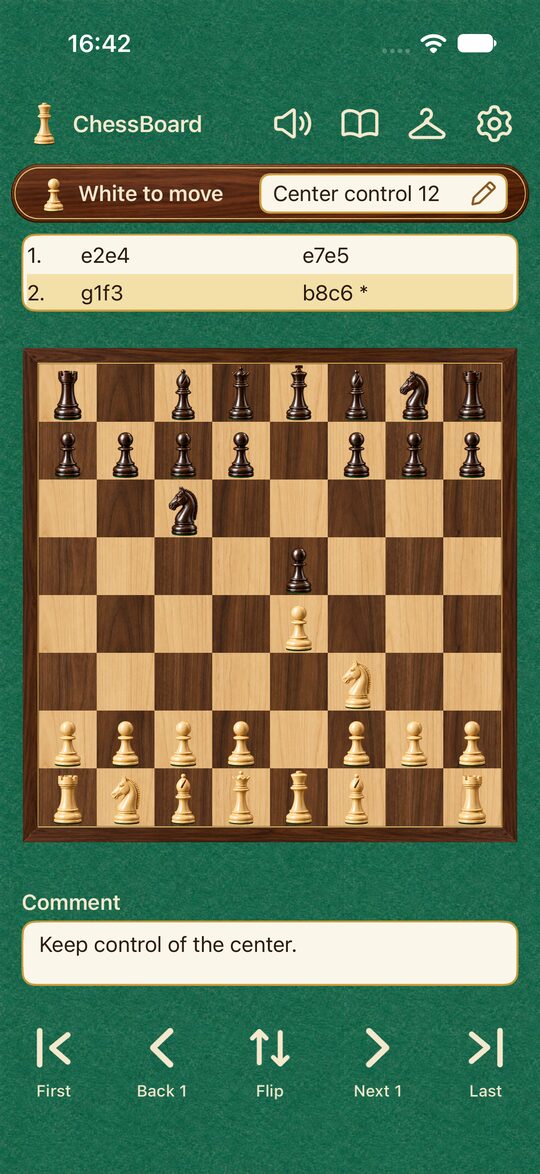
The Four Buttons at the Top
- Speaker: Turns sound effects on and off.
- Book: The saved games list. Open a saved game, or tap “+ New” to start a new one (Saving Your Games).
- Hanger: Dress Up. Choose pieces, board, background, and sounds (Changing the Look of Your Board and Pieces).
- Settings: Display, sound, and other options.
Whose Turn It Is, and the Result
The screen shows whose turn it is: “White to move” or “Black to move.” When a king is in check, it adds that, like “White to move · Check.”
When the game ends, you see the result and the reason, such as “White wins · Checkmate” or “Draw · Stalemate.” On checkmate, the losing king falls over on the board.
Captured Pieces
The pieces each side has captured line up above and below the board. You can see at a glance who has taken what, which helps when you are counting who is ahead (Piece Values).
Moving a Piece
Select a piece and then select the square you want to move to, or drag the piece to its destination. When you select a piece, the squares it can move to are highlighted. When a pawn reaches the far rank, a screen appears where you choose one of four pieces to promote to.
The Five Buttons at the Bottom
They are First, Back 1, Flip, Next 1, and Last. Use them to take moves back, step forward again, or turn the board around (How to Use Takebacks (Back 1 and Next 1)).
Settings
Settings are split into four groups.
- Display: Show board coordinates, Show move record, Show comments. The move record and comments become available with the one-time purchase of additional features.
- Sound and Dress Up: Sound and Dress Up.
- Backup and purchases: Backup (iCloud on iPhone and iPad, Google Drive on Android) and Restore purchase.
- About the app: Language, Privacy Policy, changing ad privacy choices, and licenses.
Settings also include a section where you can see what the one-time “Additional Features” purchase includes.
Language
The app supports 13 languages. In Settings, under “Language,” you can follow your device’s language or pick the one you like.
On iPad and Tablets
On iPad and Android tablets, you can use the app in portrait or landscape. In landscape, the board sits on the left and the controls on the right. A large screen is easier to see when two people sit across a table from each other, so it works well that way. On a phone, use portrait.
What It Doesn’t Have
Chess Board has no computer opponent, no online play, and no clock for time controls. You can play without a connection. It is an app focused on two people playing face to face.
You can find the rules in The Rules of Chess, and tips for playing with two people in Playing Chess with Two Players.