The Tangram app is a puzzle app for Android. This article walks you through all of the controls on the screen.
Moving Pieces into the Frame
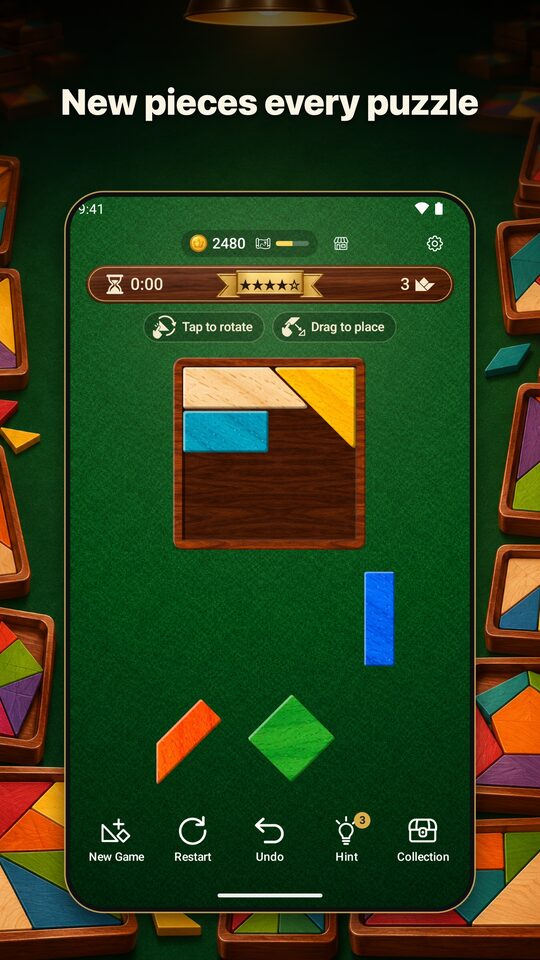
All of the pieces are lined up in the tray at the bottom of the screen (or on the right, depending on the shape of the screen).
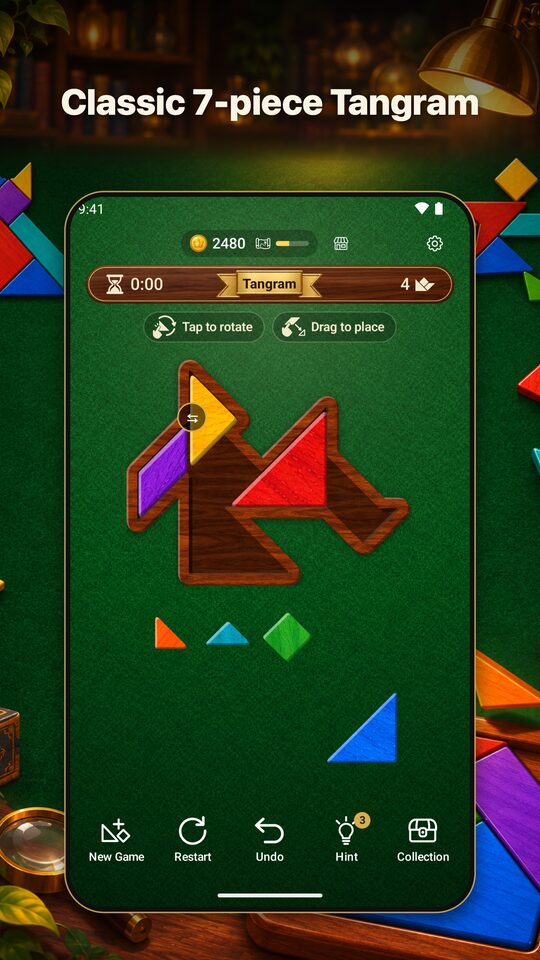
- Drag a piece onto the frame. A piece you pick up appears a little above your finger so your finger does not hide it.
- When you let go, the corners of the piece snap neatly to nearby corners. Even if you are a little off, it fits cleanly.
- If you let go outside the frame, the piece goes back to its place in the tray.
You can also drag a piece that is already in the frame to a different spot. You can grab it near its edge, too.
Rotating and Flipping
- Tap a piece to rotate it 45° clockwise.
- In Tangram mode, you can flip the parallelogram with the ⇆ button at the top right.
For details, see How to Rotate and Flip Tangram Pieces.
Buttons
- Undo: Takes back your moves in the frame one at a time (placing, moving, removing, and rotating).
- Restart: Starts the same puzzle over from the beginning.
- New Game: Starts a different puzzle.
- Hint: The next piece to place and its spot light up.
You clear the puzzle when all of the pieces fit in the frame. From the clear screen, you can go on to the next game. The clock starts running when you place the first piece in the frame.
Settings
In the Settings screen, you can do the following.
- Mode: Choose from Rectangles, Silhouettes, and Tangram (The Three Modes Compared).
- Difficulty: In Rectangles and Silhouettes, choose from ★1 to ★5. Tangram mode has no difficulty levels.
- Sound and Language: Turn sound effects on or off and pick the display language. You can play in 13 languages.
- How to play: Opens the in-app “How to play Tangram” guide.
Playing with TalkBack
You can also play with the screen reader (TalkBack). Each piece is read out with its number and its number of corners, like “Piece 3 (pentagon)“. From the piece’s action menu, you can choose “Return to tray” and “Place at hint spot,” and for the parallelogram, “Flip.”
Pick Up Where You Left Off
Even if you close the app, the puzzle you were playing is kept. However, which pieces you placed and where is not saved, so the next time you open the app you start the same puzzle from the beginning.
For the basics of the rules, see Tangram Rules and How to Play.