Hint in the Peg Solitaire app tells you the next move when you’re stuck. You use it with the light bulb button in the bar of controls at the bottom of the screen.
The Next Move Glows
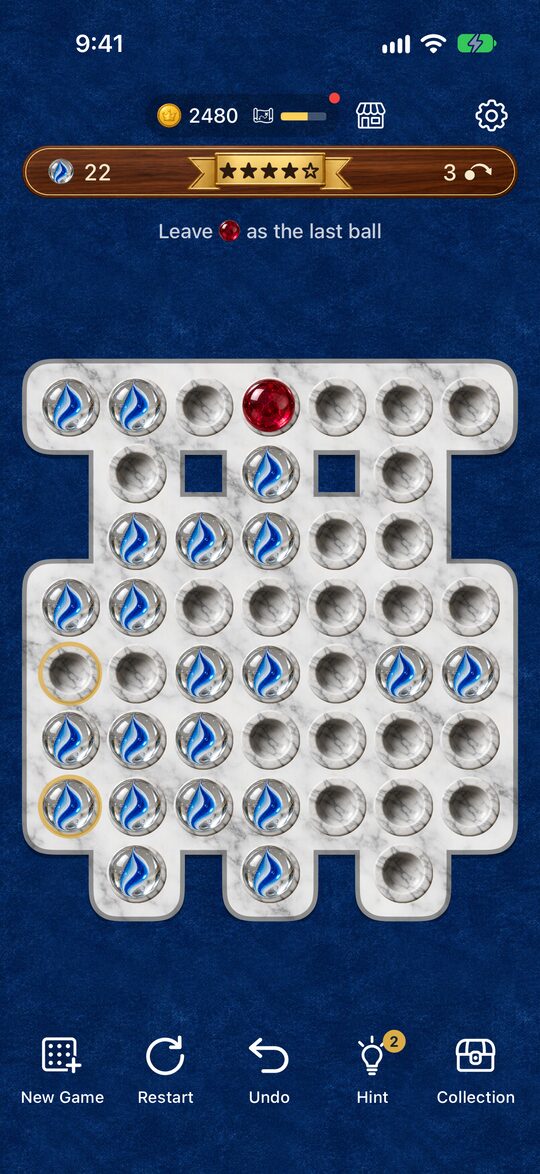
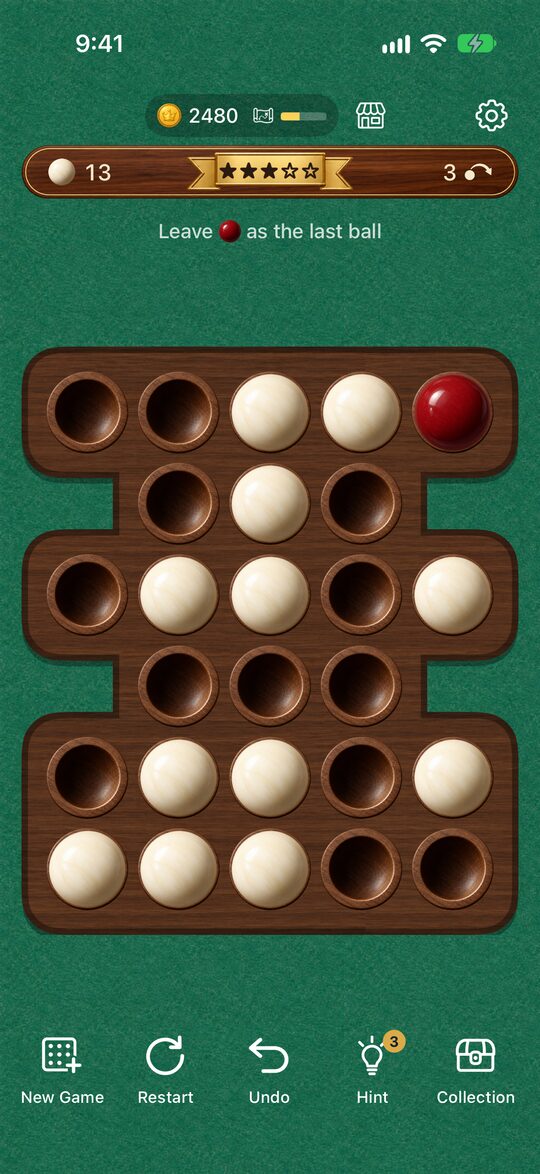
From the current board, it shows you the next move that can still reach the goal by making the peg to move and the hole it goes to glow with gold rings.
- In “Classic,” it’s a move that can get you down to one peg.
- In “Puzzles,” it’s a move that can leave the boss ball last.
The glow goes away when you play the glowing move or press “Undo” or “Restart.” If you keep playing the glowing moves, you can reach the end.
While it’s thinking, it shows “Thinking…“. On a big board, it can take a little while.
When It Can’t Be Solved Anymore, It Tells You How Far to Go Back
If you’ve already played a wrong move and the current board can no longer reach the goal, it tells you how many moves to go back.
- In “Classic,” you’ll see something like “Go back 3 to finish with one,” and in “Puzzles,” something like “Go back 3 to save the boss ball.”
- The “Undo” button glows with a gold ring.
- Each time you go back one move, the remaining count goes down. This continues until you’ve finished going back or play a different move.
It also works on boards where you’re stuck with no moves left, or where the boss ball has been captured. For how to think about going back, see How to Undo When You’re Stuck.
Sometimes It Can’t Come Up with Anything
On a very big board, it may not be able to search out the next move completely. In that case, it looks for a spot you can go back to that reaches the goal, and tells you how many moves to go back. If it still can’t tell, it shows “No hint found right now.” When this happens, your count doesn’t go down.
How Hint searches for answers is covered in Solving It with a Computer.
How Uses Are Counted
- You start with 3 uses.
- One use is spent when it finds the next move or tells you how many moves to go back. If it can’t tell, no use is spent.
- The number of uses left appears on a gold tag at the top right of the Hint button.
How to Get More Uses
If you press Hint when you have 0 left, it says “No hints left” and asks whether you want to watch one ad to get 3 more uses. If you choose “Watch Ad,” you get 3 more uses after the ad.
When an ad is available, the tag on the button at 0 changes to a green ”▶+3,” so you can tell before you press it.
Good Ways to Use It
- Don’t use it right away: If you think for yourself first and use it only after you’re stuck, you build up your thinking.
- Use it to find out how far to go back: When you’re stuck, use it to check how far back to go, and you’ll waste less effort redoing moves.
- Check the path to the answer: When you wonder “Is this move okay?”, use it once and compare the glowing move with your own idea.
Other buttons and settings are covered in How to Use the App.