Spider Solitaire is a Spider Solitaire game you can play on iPhone, iPad and Android. This page explains how to read the screen and use the buttons. The rules of the game are covered in Spider rules and how to play.
Reading the screen
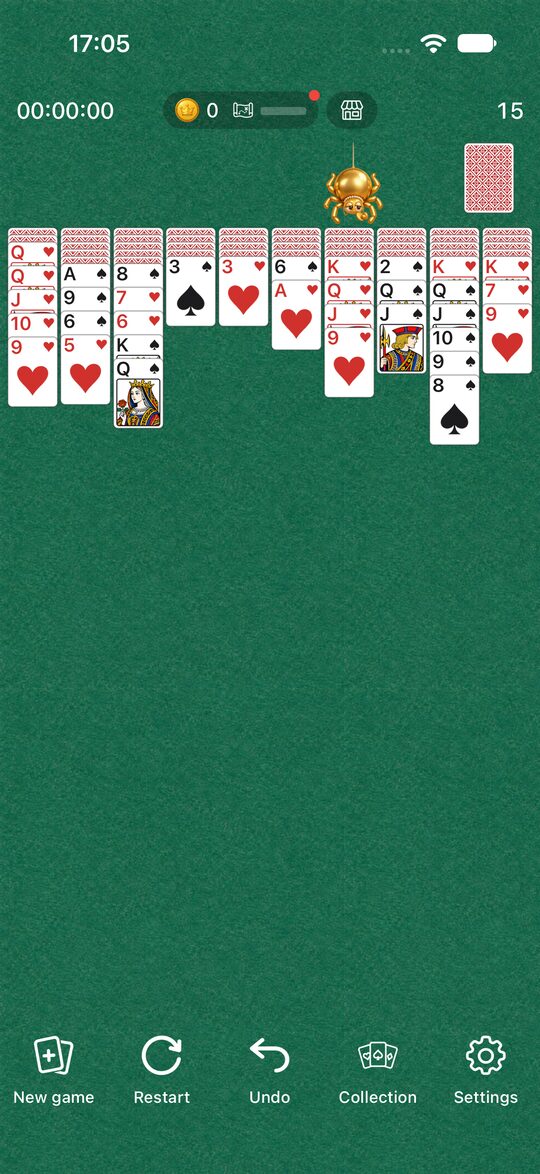
- Top left: the time it has taken.
- Top center: your coins, your exploration progress and the Shop.
- Top right: the move count. The stock is below it.
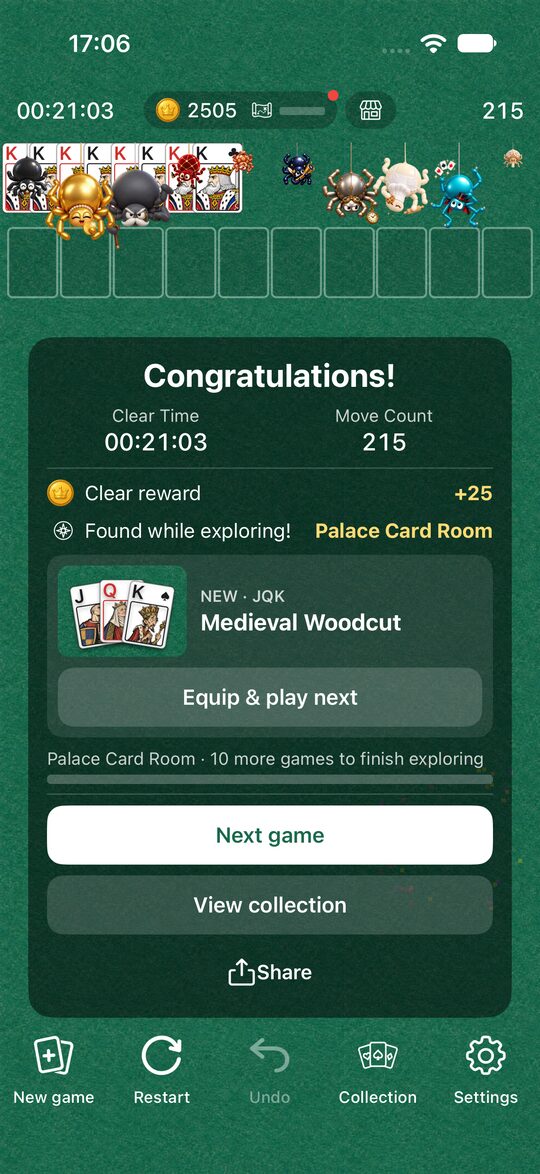
- Upper-left row: completed runs you have cleared, lined up with the K showing.
- Middle: the 10 tableau columns.
The buttons at the bottom
There are 5 buttons along the bottom of the screen.
- New game: start with a different deal.
- Restart: replay the same deal.
- Undo: go back one move.
- Collection: Dress Up, Explore and Shop.
- Settings: level, sound and more.
New game
Reshuffles the cards and starts with a new deal. The level you chose in Settings is used from here.
Restart
Starts over with the same deal and the same level. When you think “I should have chosen a different move earlier”, you can try the same deal again.
If you press “New game” or “Restart” in the middle of a game, a screen asks you to confirm that you really want to start. If you haven’t made a single move yet, or you have already cleared the game, it starts right away without asking.
Undo
Takes the table back one move. You can go back as many times as you like, all the way to the start of the game. A move that dealt the stock, or a move where 13 cards were completed and cleared, also goes back to the table before that move in a single press.
Keep these two things in mind, though.
- Each time you go back, the move count goes up by 1.
- The time does not go back.
You can’t go back after you have cleared the game.
How to move cards
- Tap: the card moves to a place where it fits automatically. When it fits in two or more columns, it goes to the first column that works, checking from the left (Where a tapped card goes).
- Drag: move the card to the column you want and let go. If you let go somewhere it can’t go, it returns to where it was.
- Stock: tap the stock to deal one card to each of the 10 columns. You can’t deal while a column is empty.
Settings
In Settings you can change the following.
- Sound: the sound of dealing cards, placing cards and clearing.
- Level: Easy (1 suit), Normal (2 suits) and Hard (4 suits). A change applies from the next “New game”.
- Language: choose from 10 languages, including Japanese and English.
- How to play: view again the explanation of the rules that appears the first time you launch the app.
Time and move count
- Time: starts counting from the first time you move a card. It pauses while the app is closed and while the Settings or a confirmation screen is open.
- Move count: goes up by 1 for each move of cards and each deal of the stock. It also goes up by 1 when you Undo. It does not go up when 13 cards are cleared (How the move count is counted).
When you clear a game
When you clear all 8 runs, you see the time it took and your move count. You can also share your result. The clear animation (fireworks by default) can be changed with the Collection’s effects (Dress Up and Explore: how to enjoy them).
A game in progress is not saved
Spider Solitaire does not save a game in progress. If you quit the app completely, the next time you open it you start from a new game.
Ads
A full-screen ad may appear in the break between games, when you go on to the next game with “New game” or “Restart”. It does not appear in the middle of a game. The ad at the bottom of the screen appears only on the Settings screen.
Other questions are collected in Spider Solitaire FAQ.