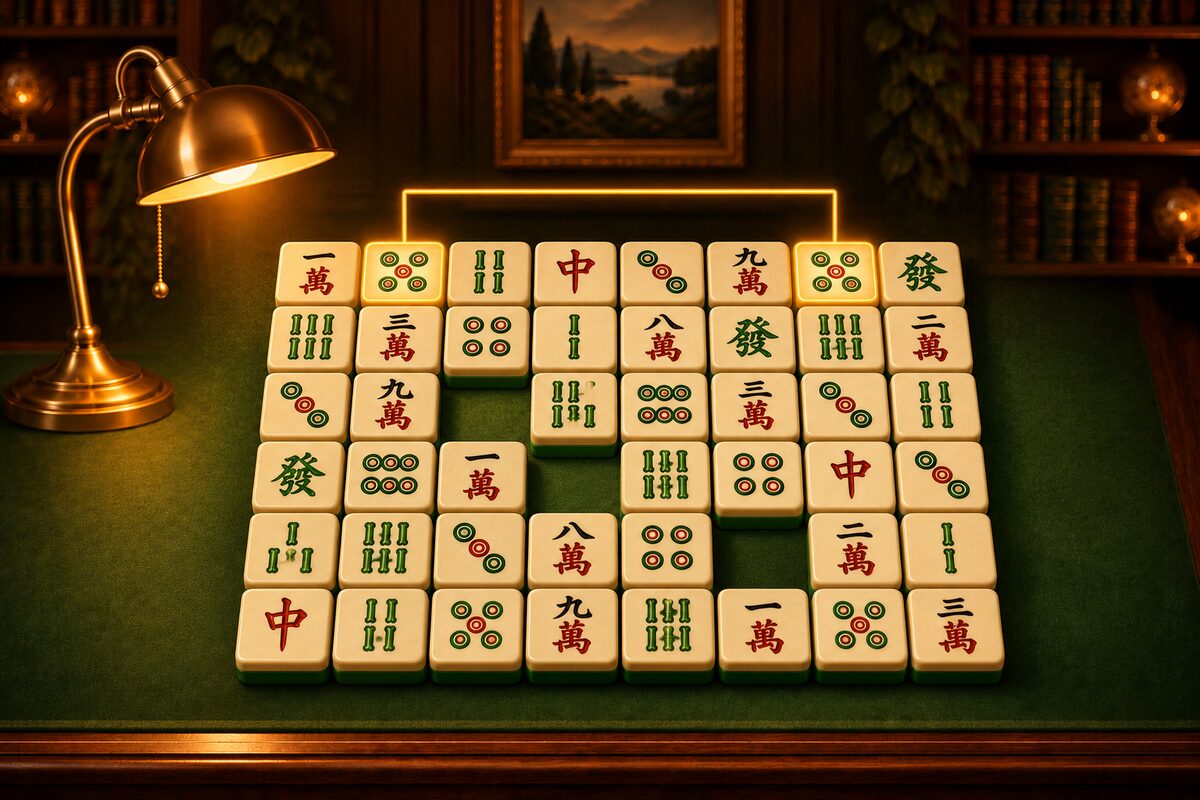
In the Shisen-Sho app (Android), you can restyle many parts of the screen, not just the tiles.
What You Can Restyle
- Tiles: The look of the tiles (Picture Tiles and Restyling).
- Table: The surface the tiles are laid out on. The standard one is “Fresh Felt.”
- Link Line: The line that appears when you remove a pair. The standard one is “Golden Light.”
- Clear Effect: The celebration when you remove every tile. The standard one is “Golden Sparkles.”
- Screen Theme: The parts such as the buttons, the top bar, and the panels, along with the text colors. The standard one is “Simple.”
You can choose each one separately, so you can make any combination you like.
Five Screen Themes
Besides the standard one, there are five screen themes.
- Candy Teahouse
- Toy Box
- Neon Market
- Sticker Pop
- Retro Café
Each theme has tables that go with it. On the Shop and Style screens, you can preview a theme on a small tall screen (table, top bar, tiles, and bottom buttons). The sample table and tiles can be chosen as separate items from the theme.
Screen themes are among the pricier items in the Shop, and they can also be found by exploring, at a low chance.
Easy to Read
In every theme, the text and icons sit on paper, buttons, or cards. Whether the table is light or dark, the text stays easy to read.
For how to collect items, see Exploration and Secrets.