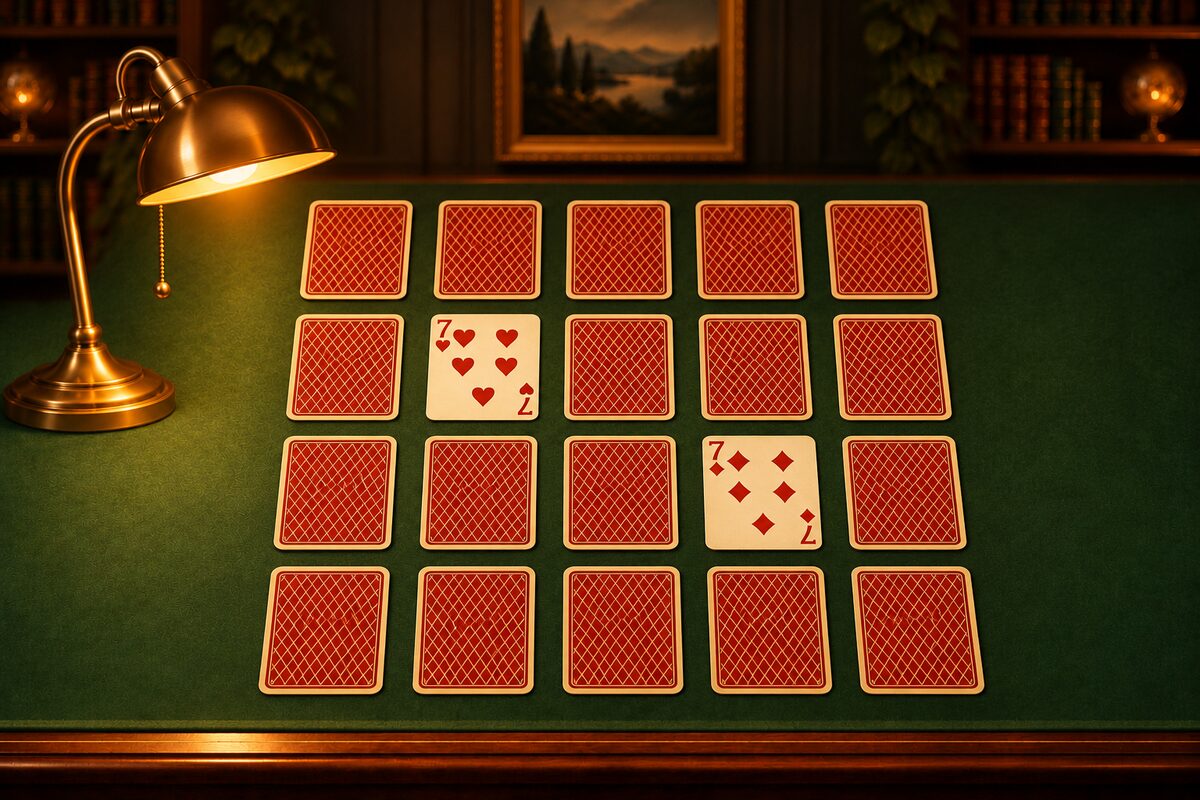
Memory is a game where you flip face-down cards two at a time and match pairs of the same number. You don’t need a deck of cards. You can play right on this page or in a phone app.
Play on This Page
You can play on the board below, right away. Tap two face-down cards in a row to flip them, and if the numbers match, you take both. If not, they flip back. You clear the game when you’ve matched 10 pairs.
- The deal and the counting are the same as in the Memory Cards app. It picks 10 numbers from A to K and deals two cards of each.
- Your try count goes up by 1 every time you flip two cards. The timer starts when you flip your first card.
- If you fail to match a pair you could have remembered, it counts as a miss (How to Play Memory).
- Your play records aren’t saved on your device.
On Your Phone, Use the Memory Cards App
The Memory Cards app can be downloaded at no charge on iPhone, iPad, and Android (it shows ads).
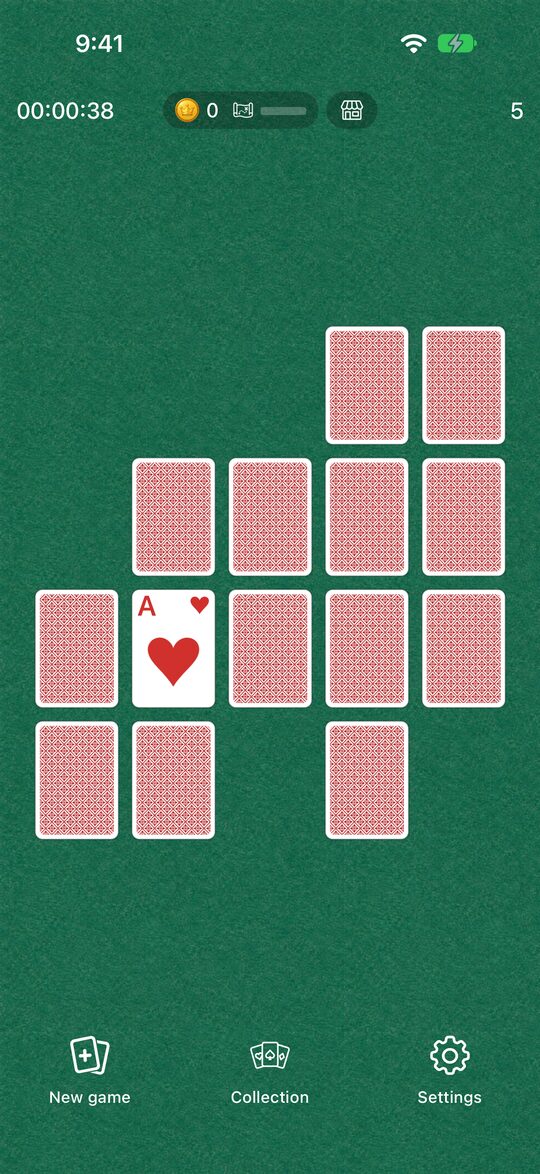
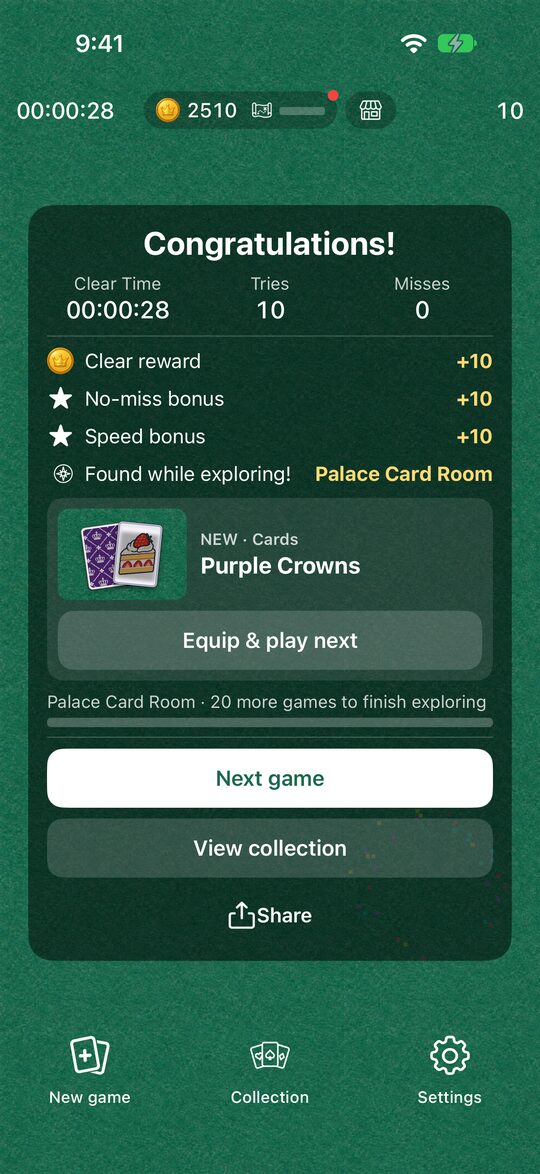
Here is what the app offers.
- Short games: With 20 cards (5 columns by 4 rows), a game takes only about 1 to 2 minutes.
- See your records: Your time and number of tries appear at the top of the screen. When you clear a game, the number of misses is shown too.
- Bonuses: You earn more coins when you clear with no misses, or within 30 or 40 seconds.
- Dress-up and pictures: With the coins you save up, you can change the cards, tables, and clear effects. There are also “Pictures” that let you play with sweets, animals, and other pictures instead of playing cards.
What to Look for When Choosing a Memory App
Memory apps may look alike, but they each feel a little different to play.
- Number of cards: Apps that use all 52 cards let you play at a relaxed pace, but each game is long. The Memory Cards app uses 20 cards, so you can play in spare moments.
- How records are shown: When tries and time are shown, you can compare yourself with your earlier games.
- Whether there’s an opponent: Some apps have you take turns flipping against the computer. The Memory Cards app is played alone and has no head-to-head play.
- Ads: Many apps that can be downloaded at no charge are supported by ads. In the Memory Cards app, a full-screen ad appears when you start the next game with “New game” (the first time, and then every other time after that). Ads never appear in the middle of a game.
Start With the Rules
If you’re new to Memory, read How to Play Memory first, and you’ll be ready to play right away. Once you’re used to it, Tips for Memory will help too.
You can download the app with the buttons at the bottom of this page.