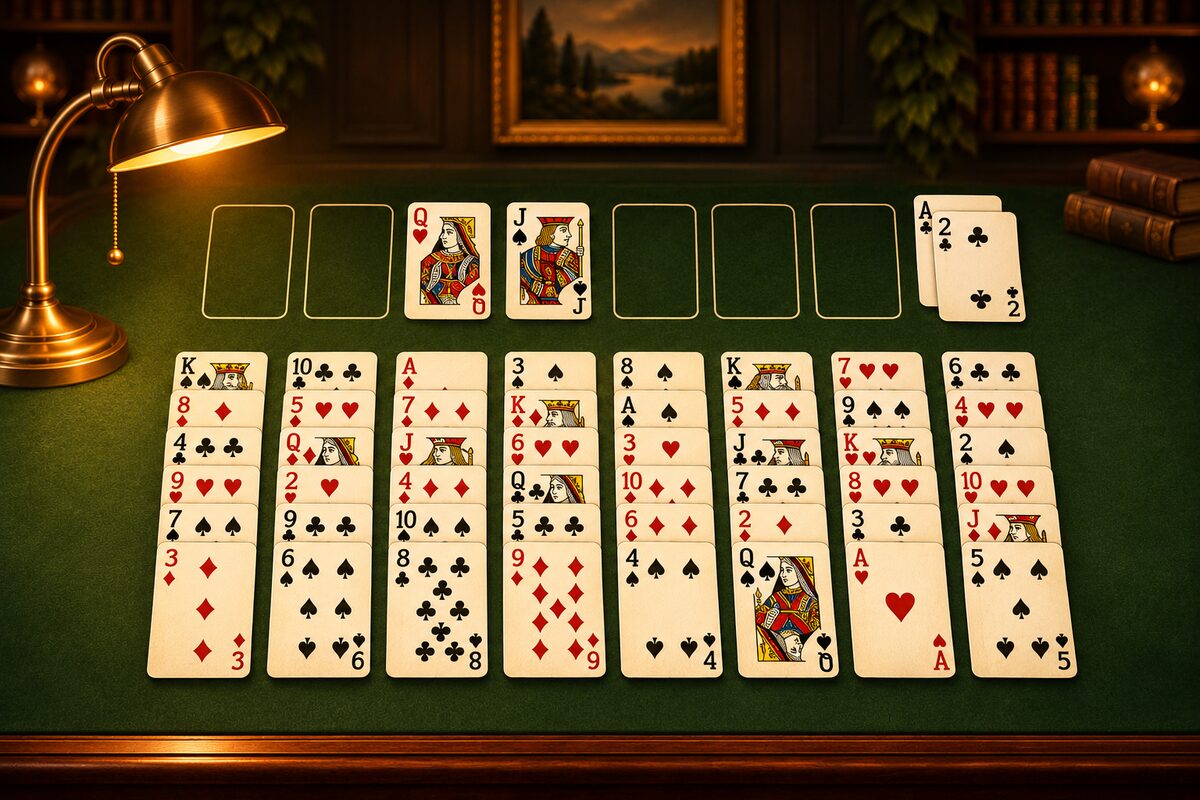
In FreeCell, all 52 cards are visible from the start. Wins and losses depend on how well you think through the order of your moves, more than on luck. This article shares 10 tips that work even if you are new to the game. If you are still unsure about the rules, please read FreeCell Rules and How to Play first.
1. Dig Out the Aces and 2s Early
Home cells can only be built up starting from the Ace. An Ace buried deep in a column can’t come out until you move all the cards on top of it. First, find out where the four Aces are.
In this deal, the Aces are buried near the back of columns 5 to 7. The shortcut is to dig out the Ace with the fewest cards on top (Why Get Aces and Twos Out Early).
2. Keep the Free Cells Empty as Much as You Can
The free cells are a handy place to set troublesome cards aside one at a time. But the more you fill them, the less you can move. In the FreeCell app, you can move only up to “the number of empty free cells plus one” cards at once, so when the free cells fill up, you can’t move a long run (How to Use the Free Cells).
3. Aim to Empty One Column
Any card can go in an empty column. It can be a bigger place to put cards than all four free cells together. Clear a column with few cards first (the four right columns have 6) and aim to empty one (How to Use an Empty Column).
4. Look a Few Moves Ahead Before You Move
Since every card is visible, you can think before you move: “If I move this card, which column opens up next?” and “What can I move after that?” Before you put a card in a free cell, in particular, think about when and where that card can come out.
5. Count the Cards Before Moving a Run
When you move a run of alternating red and black cards, count whether it fits within “the number of empty free cells plus one.” If it doesn’t, you can use an empty column to carry it in several steps (How Many Cards You Can Move at Once).
6. Kings Go to an Empty Column
Nothing can be stacked on a King. When an empty column opens up, moving a King from the middle of a column makes the cards below it easier to move. If you put a King in an empty column, that column just grows into a run downward from the King.
7. Don’t Rush to the Home Cells
You can send small cards to the home cells as soon as you find them. High cards, on the other hand, can sometimes help catch other cards in the tableau. In the FreeCell app, you can also move the top card of a home cell back to the tableau or to a free cell (Moving a Card Back from a Home Cell).
8. Use Tap and Drag Differently
When you tap a card, it goes to a home cell if it can, and if not, to the first column that will take it, checking from the left. To put a card in a free cell, or in a column you choose, drag it (Where a Tapped Card Goes).
9. When You’re Unsure, Try It and Use “Undo”
When you can’t tell which move is better, you can try one and take it back with “Undo” if it doesn’t work. With “Restart,” you can replay the same deal from the beginning.
10. Don’t Give Up, and Rethink
FreeCell is known for having a solution in almost every deal. In the FreeCell app too, when we checked 100,000 random deals, every one of them had a solution (Almost Every FreeCell Deal Can Be Solved). Even if you get stuck, go back and try a different order, and you may find a way (When You Get Stuck).
Summary
- Find out where the Aces and 2s are, and dig them out early.
- Keep the free cells empty and aim to empty one column.
- Count the cards before you move a run.
- Look a few moves ahead before you move, and use “Undo” when you’re unsure.
Ways of thinking about strategy are collected in FreeCell Strategy and Winning Methods.