
This article walks you through the screens and controls of the Android app Sort Puzzle. The rules themselves are in How to Play and the Rules.
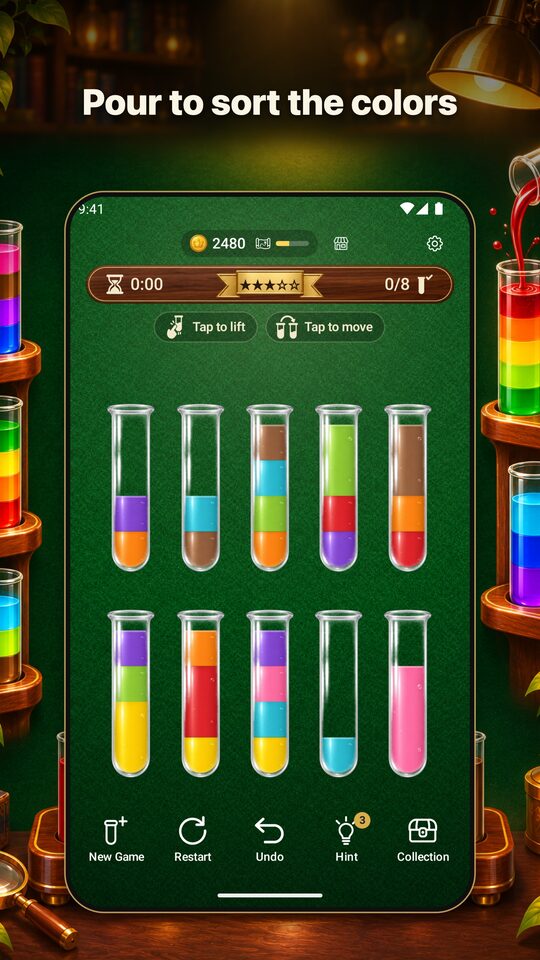
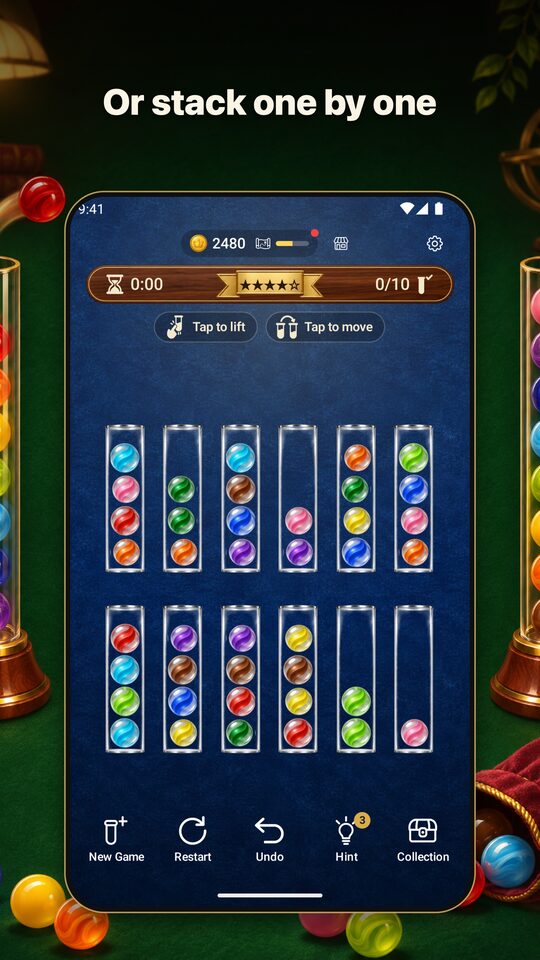
How to Move Colors
- Tap a tube to lift it.
- Tap the tube you want to move to. The top color goes there.
- Tap the lifted tube again to put it back down.
If you tap a tube that can’t receive the color, the app lifts that tube instead (if it has something in it). If it’s an empty tube, the lifted tube shakes and goes back down. Most of the time, a label on the screen says “Tap to lift” or “Tap to move” to tell you what to do next.
The Bar at the Top
- Number of stars: The difficulty of the current puzzle (★1 to ★5).
- Tubes sorted: Shown like “2/4”, the number of sorted tubes out of the number of colors.
- Time: It starts counting from your first move. It pauses while the app is closed or while an ad covers the screen.
When you are stuck, or when a hint tells you how many moves to undo, a notice appears in gold text in this bar (see What to Do When You’re Stuck).
The Five Buttons at the Bottom
- New Game: Deals a new puzzle. If you’re in the middle of one, the app asks you to confirm first.
- Restart: Starts the same puzzle over from the beginning.
- Undo: Takes back one move. You can use it as many times as you like, for nothing. Your move count does not go back down.
- Hint: The next move lights up. If the puzzle can’t be solved, it tells you how many moves to undo to fix it (see How to Use Hints).
- Collection: Opens the Dress Up, Explore, and Shop screens (see Collection and Explore).
After you clear a puzzle, Undo and Restart can’t be tapped.
What You Can Do in Settings
Open Settings with the button at the top right of the screen.
- Mode: Switch between Pour and Stack (see Pour vs. Stack).
- Difficulty: Choose ★1 to ★5. The coins you earn for clearing are listed too (see How to Choose a Difficulty).
- Sound: Turn sound effects on or off, and choose a pour sound and a stack sound. You hear each one as soon as you pick it.
- Show color symbols: Show symbols such as ●▲■ on top of the colors (see If Colors Are Hard to Tell Apart).
- Move animation: Turn on or off the animation of the contents flying across.
- Language: Follow your device, or pick from 13 languages.
- How to play: See the explanation of the rules again.
If you change the mode or difficulty in the middle of a game, the app asks whether you want to stop the current game and switch. If you choose “from the next game,” you can keep playing the current one.
After You Clear a Puzzle
When every tube is full of a single color, “Cleared!” and your time appear, and the results show after a celebration.
- Clear reward coins, plus the daily bonus if it’s your first game of the day.
- Your progress in Explore. When an exploration finishes, you find one item.
- Use ”Share” in the results to send a message like “I cleared Sort Puzzle in 1:05!”
- Tap ”Next game” to move on to the next puzzle.
The app is only on Android. If you want to try it in a browser, you can also play on the board in Play in Your Browser on this site.