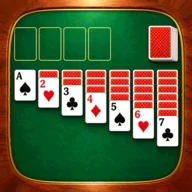
 Solitaire
 Spider Solitaire
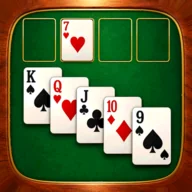 FreeCell
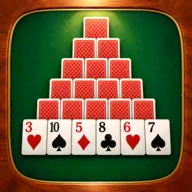 Pyramid Solitaire
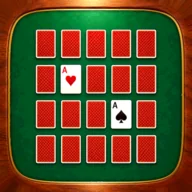 Memory Cards
 Old Maid
Search a phone app store for “cards” or “solitaire” and you’ll find lots of free apps. They all look the same, but how they feel to play can differ a lot in unexpected ways. Here are seven points to check before you install one.
1. Where Ads Appear
Many free apps are paid for by ads. What to look for is whether ads appear in the middle of a game or between games. If a full-screen ad pops up while you’re thinking, it breaks your concentration. Searching the store ratings and reviews for “ads” can sometimes show you how they appear.
2. Whether You Can Play Offline
It also matters whether you can play where there’s no signal, like on a train or a plane. Most card games run entirely on your device. But some apps need a connection every time you open them, so it’s reassuring to try opening one once in airplane mode.
3. How Purchases Work
Free apps often have things you can buy inside the app.
- A one-time purchase to remove ads: Buy it once and ads stop appearing for good.
- Hints and coins: You buy things that get used up each time you use them.
- Cosmetic changes: Things that change the card designs or the background.
If you play a lot, it’s worth checking whether there’s a one-time purchase that removes ads.
4. Whether You Can Undo
In solo games like Solitaire and FreeCell, whether you can take back moves makes a huge difference to how easy the game is to play. Also check whether there’s a limit on how many times you can undo, and whether, like hints, it costs money.
5. Whether Deals Are Solvable
In Solitaire (Klondike), some deals can’t be solved from the moment they’re dealt. Some apps deal only hands that are confirmed to be solvable. If you want to avoid getting fed up because you can’t win no matter how many times you try, check this point. We cover win rates in Solitaire Win Rate.
6. How Easy the Cards Are to See
The size of the numbers and suits, and how easy the colors are to tell apart, matter more the longer you play. Check the screenshots to see whether the numbers on the cards are easy to read.
7. Whether You Need to Sign Up
To just play card games, you usually don’t need to sign up for an account. If an app asks for your email address or name, find out why before you use it.
This Site’s Card Game Apps
This site offers the following card game apps for free on iPhone and Android (ads are shown). In every app, full-screen ads appear between games when you move on to the next one, never in the middle of a game. No sign-up is needed either.
| App | How to play | Players |
|---|---|---|
| Solitaire | Build up the foundations from seven columns | 1 |
| Spider Solitaire | Build runs of one suit from K to A | 1 |
| FreeCell | Rearrange cards using four free cells | 1 |
| Pyramid Solitaire | Take pairs that total 13 | 1 |
| Memory Cards | Remember and match the same numbers | 1 |
| Old Maid | Play against three computer players | 4 |
If you want to play right away without downloading anything, see Card Games You Can Play Without Downloading too.