Old Maid is a game where you play against three computer players, so there are four of you at the table. This article walks you through the screen and how to play. The rules are explained in Old Maid Rules.
Reading the Screen
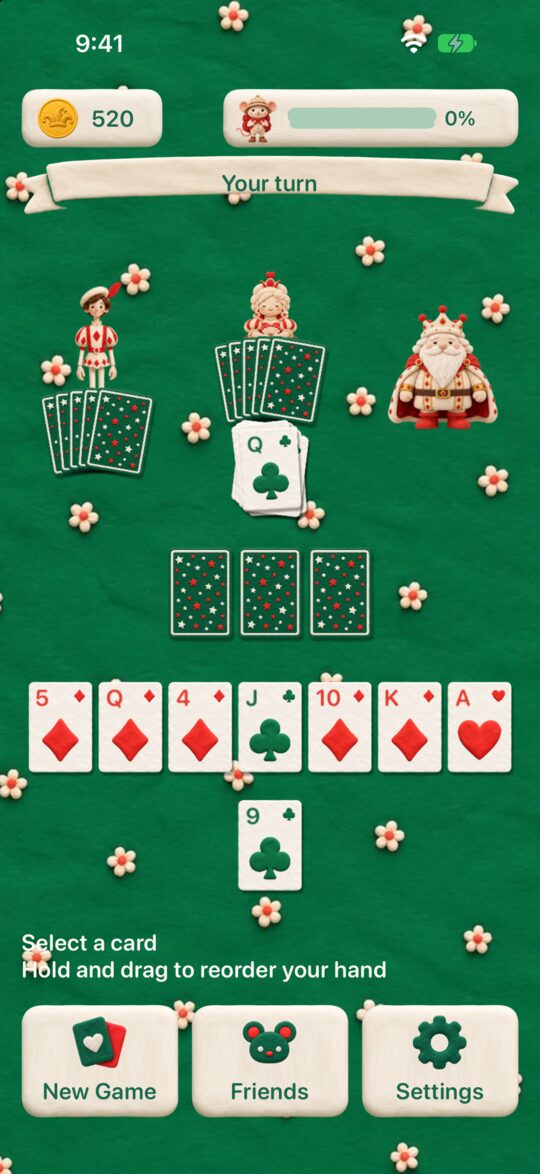
- Top bar: Your coins are on the left, and how far your friends have gotten on their exploration is on the right.
- Turn bar: It shows whose turn it is and what to do next (“Your turn”, “Select a card”, and so on).
- Opponents’ seats: Leo (the Jack) sits on the left, Rose (the Queen) at the top, and Oscar (the King) on the right.
- Center: The discarded pairs pile up here.
- Your hand: It is laid out in two rows near the bottom of the screen.
- Bottom buttons: There are three: “New Game”, “Friends”, and “Settings”.
How a Game Goes
1. Discard your first pairs
Once the cards are dealt, tap two cards of the same number in your hand to discard them. Everyone discards one pair at a time, taking turns, and the computer players discard automatically. This goes on until nobody has a pair left.
2. Draw from an opponent
On your turn, the hand of the player you draw from (usually Oscar) appears face down and shuffled. Tap one card to draw it.
3. Choose the card that makes a pair
If you have a card with the same number as the one you drew, the screen says “Select matching cards”. Tap your own card and the two are discarded as a pair. If you have no matching number, the card you drew simply joins your hand.
4. The computer players’ turns
Leo, Rose, and Oscar draw in that order. The computer players draw cards at random and discard their pairs automatically.
5. The end of the game
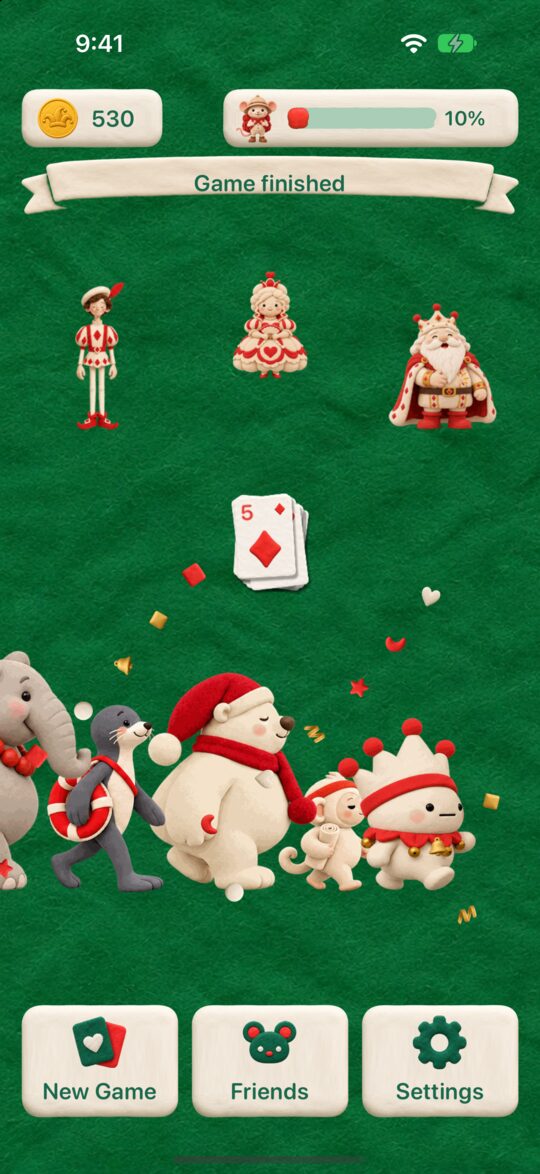
The game ends when only the Joker is left. The Joker card turns into Pippo the jester, who reacts to how the game turned out (When You’re Left with the Joker, Pippo Celebrates).
Rearranging Your Hand
Press and hold a card in your hand and move it to put your hand in any order you like. For details, see Rearranging Your Hand.
The Three Buttons at the Bottom
- New Game: Starts the next game. If you press it in the middle of a game, a screen asks you to confirm.
- Friends: Opens the Friends screen. It has Explore, Album, Dress-up, and Acts (Friends and Exploring).
- Settings: You can change things like sound and language.
Good to Know
- There is no undo: You can’t take back a move, and you can’t replay a game with the same deal.
- Games aren’t saved midway: A game in progress is not saved.
- Ads: A full-screen ad appears when you start the next game with “New Game” (the first time, and then every other time after that). Ads never appear in the middle of a game.
- Languages: You can play in 13 languages, including Japanese and English. At first, the app follows your device’s language.